
7 Business Processes You Can Automate With Custom Software
Automation is most valuable when it removes repetitive handoffs, forgotten follow-ups, and duplicate data entry. These seven processes are practical places to look for opportunities inside a growing business.
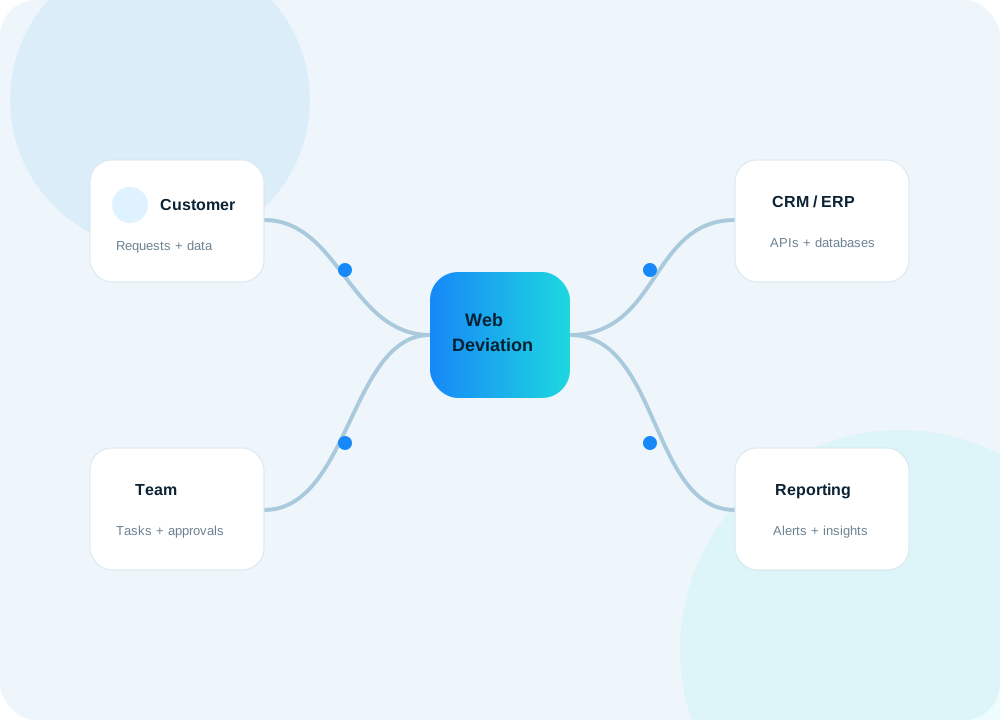
Business automation does not have to begin with a massive transformation project. Some of the best opportunities are much smaller: a repeated task that happens twenty times a day, a report someone rebuilds every Monday, an approval that gets buried in email, or customer information that is copied from one system to another.
The goal of automation is not to remove people from the process. It is to remove unnecessary work from the people who understand the process.
When software handles predictable steps, your team can spend more time on decisions, relationships, problem solving, and work that genuinely needs human judgment.
1. Lead and inquiry routing
A customer submits a form on your website. What happens next?
In many businesses, the answer involves an email inbox. Someone reads the message, decides who should handle it, copies the information into a CRM, sends a reply, and creates a reminder to follow up later.
That is a perfect example of a process where several steps can happen automatically.
A custom workflow can:
- Create or update the customer record
- Classify the inquiry by service, location, or customer type
- Assign it to the correct employee
- Send an acknowledgement to the customer
- Create a follow-up task
- Notify the responsible person
- Start an internal service-level timer
- Record the complete history on the customer record
The employee still handles the conversation. The automation simply makes sure the conversation starts in the right place with the right information.
2. Quotes, approvals, and follow-ups
Quotes frequently involve more manual work than companies realize.
A salesperson may collect customer details, ask another department for pricing, create a document, email it to the customer, and then manually remember to follow up. If the quote is approved, information may be entered again into a project or accounting system.
A connected quoting workflow can reduce those handoffs.
The system can generate a quote from structured items, apply approved pricing rules, route exceptions for manager approval, create a PDF, record when the quote was sent, and automatically create a follow-up task if the status has not changed after a defined period.
When the customer approves the quote, the same information can create the project or order without requiring another round of data entry.
3. Project handoff after a sale
The point where a sale becomes operational work is often one of the most fragile parts of a business process.
Sales knows what the customer requested. Operations needs the details required to deliver it. Finance needs billing information. Management wants to know the expected timeline and value.
If that handoff happens through email and conversation, important details can be lost.
A custom system can turn an approved quote or opportunity into a structured project. It can create standard tasks, assign owners, request missing information, attach relevant documents, establish milestones, and notify the people who need to begin work.
4. Recurring service and maintenance reminders
Any business that manages recurring work has dates that matter: service intervals, inspections, renewals, subscriptions, certifications, warranties, maintenance schedules, domain renewals, SSL expiration, or contract milestones.
Tracking these manually works until the number of customers grows.
Automation can watch the dates continuously and create the right action before something becomes urgent. For example:
- Create a service task 30 days before a due date
- Email the customer when renewal is approaching
- Escalate overdue work to a manager
- Generate a recurring invoice
- Notify technical staff when a monitored certificate is nearing expiration
- Prevent repeated alerts after the responsible person has acknowledged the issue
The process becomes proactive instead of depending on someone remembering to check a spreadsheet.
5. Moving information between systems
This is one of the highest-value automation opportunities because duplicate data entry is both expensive and error-prone.
A company may have a website, CRM, ERP, accounting application, shipping service, support platform, and reporting database. If staff members are manually moving information among them, the organization is effectively using people as an integration layer.
APIs, scheduled synchronization, database connections, and webhooks can often replace that work.
A customer created in one system can appear in another. Product information can synchronize overnight. A paid invoice can update project status. A support ticket can display customer information pulled from the CRM. A website can use inventory or pricing data from an internal system.
The best integration design also includes error handling, logs, and monitoring. Automation should make failures more visible, not hide them.
6. Management reporting
Many weekly reports are not really analysis. They are preparation.
Someone exports data from several systems, cleans columns, combines spreadsheets, calculates totals, and builds charts. By the time the report is ready, much of the effort has gone into assembling the information instead of understanding it.
A custom reporting layer can collect the required data automatically and produce dashboards around the questions management actually asks.
Examples include:
- Revenue and pipeline
- Project profitability
- Billable versus non-billable time
- Open support issues
- Work aging
- Customer activity
- Quote conversion
- Service workload
- System health
- Upcoming renewals
The value is not just that the chart looks better. The value is that the same definitions are used every time, so management spends less time debating the spreadsheet and more time acting on the result.
7. Internal notifications and accountability
Email is useful, but it is not always a workflow system.
Important requests can disappear inside long email threads. Employees may not know whether another person has already handled something. Managers may not know which items are overdue until a customer complains.
A business application can make responsibility explicit.
Instead of sending a general message, the system can create an assigned task with a due date, status, related client, and history. Notifications can still be sent by email, but the authoritative status lives in the application.
That allows the system to send reminders only when needed, escalate genuinely overdue items, and show managers a live view of outstanding work.
How to find automation opportunities in your own company
The best ideas often come from listening to the language employees use every day.
Pay attention when someone says:
- “I have to copy this into the other system.”
- “I check this spreadsheet every morning.”
- “I need to remember to email them next week.”
- “Only one person knows how to make that report.”
- “We have to ask accounting whether this was paid.”
- “I normally search the email thread to find that.”
- “We do this manually because the systems do not talk to each other.”
Those statements are clues. They point to repeated actions, disconnected information, and process knowledge that could be captured in software.
Automate rules, not uncertainty
Not every process should be fully automated.
If a task requires negotiation, empathy, unusual judgment, or an important business decision, software should support the employee rather than make the decision invisibly.
A strong automation design separates the predictable part of the process from the part that needs a person.
For example, software can gather customer history, calculate totals, and prepare an approval request. A manager can still make the final pricing decision. The system can then record that decision and continue the workflow automatically.
Start with one workflow that hurts
You do not need to automate the whole company at once.
Choose a process that is repeated frequently, has clear rules, and is currently consuming meaningful staff time. Map the steps. Identify the systems involved. Measure how often exceptions occur. Then automate the stable portion first.
A successful small automation often creates the roadmap for a larger business system because it reveals which information should be centralized and which integrations provide the most value.
At WebDeviation, we build custom business applications and integrations around these kinds of workflows. The starting point can be as simple as showing us a spreadsheet, an email process, or a repeated task and asking: “Can this be made easier?”