
Custom CRM vs. Off-the-Shelf CRM: Which Is Right for Your Business?
A packaged CRM can be the fastest way to get organized, while a custom CRM can remove the workarounds that appear as your operation becomes more specialized. Here is how to decide which approach actually fits.
Choosing a CRM is rarely just a software decision. It is a decision about how your sales, service, operations, management, and customer information will work together every day.
For many businesses, an off-the-shelf CRM is exactly the right place to start. It can be available quickly, it already includes common features, and your team can begin organizing contacts, opportunities, tasks, and communication without waiting for a custom development project.
The challenge usually appears later. As the business grows, the process becomes more specific. The company begins tracking information that generic CRM fields were not designed for. Employees create spreadsheets beside the CRM. Teams copy information between systems. Managers ask for reports that require exporting data from three different places.
At that point, a custom CRM can become less about having “special software” and more about removing the operational friction your existing software is creating.
What is an off-the-shelf CRM?
An off-the-shelf CRM is a ready-made platform designed to support common customer relationship workflows. Most are built around recognizable concepts such as contacts, companies, leads, opportunities, pipelines, activities, tasks, email communication, and reporting.
That standardization is a major advantage. Your business does not need to design every screen and workflow before getting started. You can configure the platform, import customer data, create users, and begin using it relatively quickly.
For a company whose process is already close to the workflow the CRM expects, that can be an excellent fit.
What is a custom CRM?
A custom CRM is designed around the information, roles, rules, and processes that are specific to your business. It may still include familiar CRM features such as contacts and sales opportunities, but it can also include operational functions that would normally require several separate systems.
For example, the same application might manage:
- Customer and company records
- Sales opportunities and quotations
- Projects and tasks
- Service tickets and conversations
- Equipment or assets associated with a client
- Files and documents
- Time entries and timers
- Invoices and payment status
- Domain and SSL monitoring
- Client portal access
- Audit logs and approval history
- Notifications and automated reminders
- AI-assisted search, summaries, and reporting
The important difference is not the length of the feature list. It is that those features can share the same business rules and the same source of information.
The strongest argument for packaged software: speed
If your immediate problem is simply that customer information is disorganized, buying a ready-made platform can be much faster than designing a custom system.
You also benefit from a product that has already been used by many companies. Common CRM ideas have already been considered. Mobile access, permissions, password management, contact management, and basic reporting are usually part of the platform.
If your business can comfortably adapt to the software, there is no reason to build custom software just for the sake of customization.
The strongest argument for custom software: fit
The value of a custom CRM becomes clearer when your business process is one of the things that makes the company different.
Imagine a company that does not simply sell a product and close an opportunity. Perhaps the customer moves through an estimate, engineering review, approval, installation, recurring service, support, renewal, and long-term maintenance process. There may be documents, equipment, technicians, project managers, dates, site information, and customer-specific pricing involved.
Trying to force all of that into generic “deal stages” can create more complexity than it removes.
A custom CRM can model the process directly. The screen can use the terminology your team already understands. Required information can appear at the correct stage. Permissions can match real responsibilities. Automations can happen when the events that matter to your company occur.
Compare the total workflow, not just the CRM subscription
One of the most common mistakes in this decision is comparing only the monthly subscription cost of a packaged CRM with the development cost of a custom application.
The more useful comparison is the cost of the entire workflow.
Ask how much time is spent on activities such as:
- Copying information from the CRM into spreadsheets
- Re-entering customer information into another application
- Manually creating reports
- Checking separate systems for project status
- Sending reminders that could have been automatic
- Searching through email for information that should be attached to a customer record
- Fixing mistakes caused by duplicated information
- Training employees on workarounds that only exist because the systems do not fit together
A software subscription may be inexpensive while the process around it is expensive.
Integration can change the answer
Choosing custom does not mean replacing every application you use.
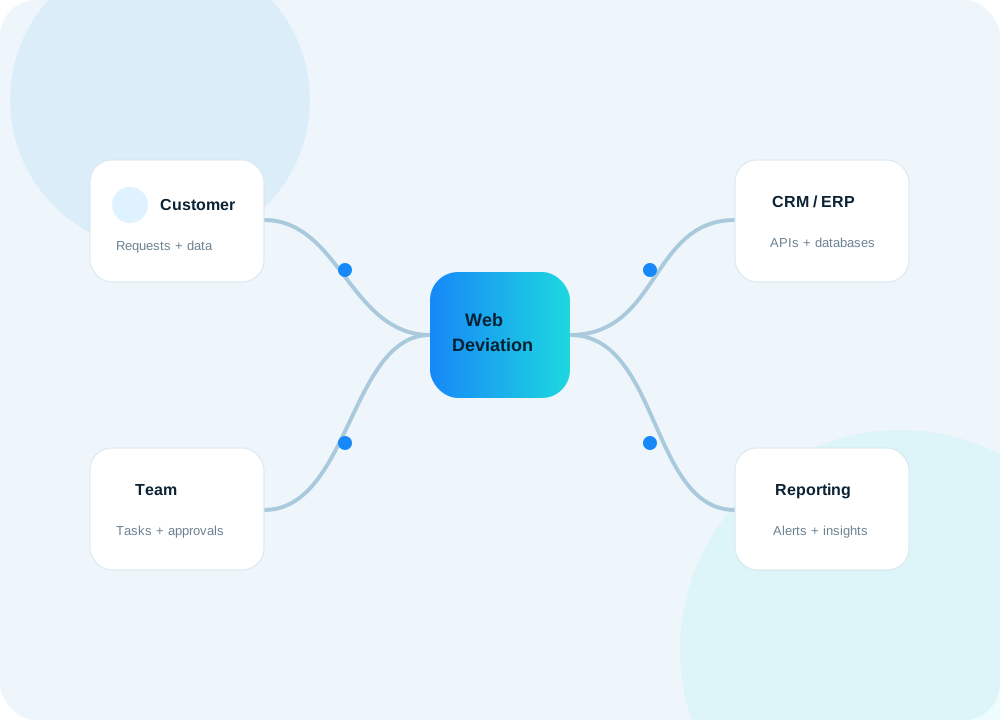
In many cases, the best architecture is a custom operational application connected to specialized services that already do their jobs well. Your CRM could connect to an email provider, accounting software, ERP, cloud storage, payment service, Microsoft 365, Google Workspace, shipping system, website, or existing SQL database.
This lets the custom application become the place where your team works while other systems continue handling their specialized responsibilities.
That is often more practical than attempting to rebuild accounting, email, file storage, or other mature services from scratch.
Reporting is a major decision point
Generic reports are useful when your questions are generic. As management becomes more data-driven, questions usually become specific to the business.
You might want to know:
- Which customers generate the most support work?
- Which project types are most profitable?
- How many quotes are waiting for follow-up?
- How much billable time was recorded by project this month?
- Which service agreements are approaching renewal?
- Which customer systems have monitoring alerts?
- How long does work typically remain in each operational stage?
If the information exists across several systems, producing those answers can become a recurring manual exercise. A custom CRM can be designed so the right data is captured as part of normal work and the dashboards update automatically.
Permissions can be more important than features
As a business grows, access control becomes more nuanced.
Administrators may need complete control. Managers may need to add users and see the teams they supervise. Regular employees may need access only to assigned clients or projects. A customer may need a portal that exposes only their own tickets, invoices, files, and project information.
A custom system can make those distinctions part of the application design instead of relying on broad roles that do not quite match the organization.
When an off-the-shelf CRM is probably the better choice
A packaged CRM is usually worth strong consideration when:
- Your workflow follows a conventional sales pipeline
- You need to be operational very quickly
- Standard contact, task, opportunity, and reporting features cover most of your requirements
- Your team is comfortable adapting its process to the software
- You do not have many specialized integrations
- Your operational processes are still changing rapidly and you are not yet sure what should be standardized
Starting with packaged software can also help a young business learn which processes really matter before investing in custom development.
When a custom CRM becomes compelling
Custom software becomes more attractive when:
- Multiple departments need to share the same customer information
- Your workflow includes specialized operational stages
- Spreadsheets have become critical side systems
- Your team enters the same data in several places
- Reporting requires significant manual preparation
- You need integrations with existing systems or databases
- User permissions are more complex than basic administrator/user roles
- Customer portal functionality is important
- You need auditability and process history
- The software itself is becoming part of how your company delivers its service
There is also a hybrid approach
The decision does not have to be entirely custom or entirely packaged.
A business can keep an existing CRM and build a custom operational portal around it. A custom application can synchronize selected data from an ERP. A customer portal can sit in front of multiple backend systems. Automation can connect tools that previously required manual transfer.
Sometimes the right first project is not replacing the CRM at all. It is fixing the most painful gap between the CRM and the rest of the business.
A practical way to decide
Before choosing a platform, map the actual workflow from the moment a prospect appears through the point where the customer relationship is being maintained.
Document every system, spreadsheet, manual handoff, approval, and repeated data entry step. Then identify which problems come from the process itself and which problems exist because the software cannot represent the process.
If most of your workflow already fits a commercial CRM, configure the commercial CRM well and use it. If the team spends a significant amount of time compensating for software limitations, it may be time to evaluate a tailored system.
At WebDeviation, our approach is to start with the business process rather than a predetermined software product. We can map the workflow, identify integration opportunities, and determine whether a custom CRM, an integration layer, or a smaller targeted application would provide the best return.