
How to Add AI to Your Business Without Replacing Your Existing Systems
AI is most useful when it can work with the information and workflows your team already uses. You often do not need to replace your CRM, ERP, help desk, or internal applications to start getting practical value from it.
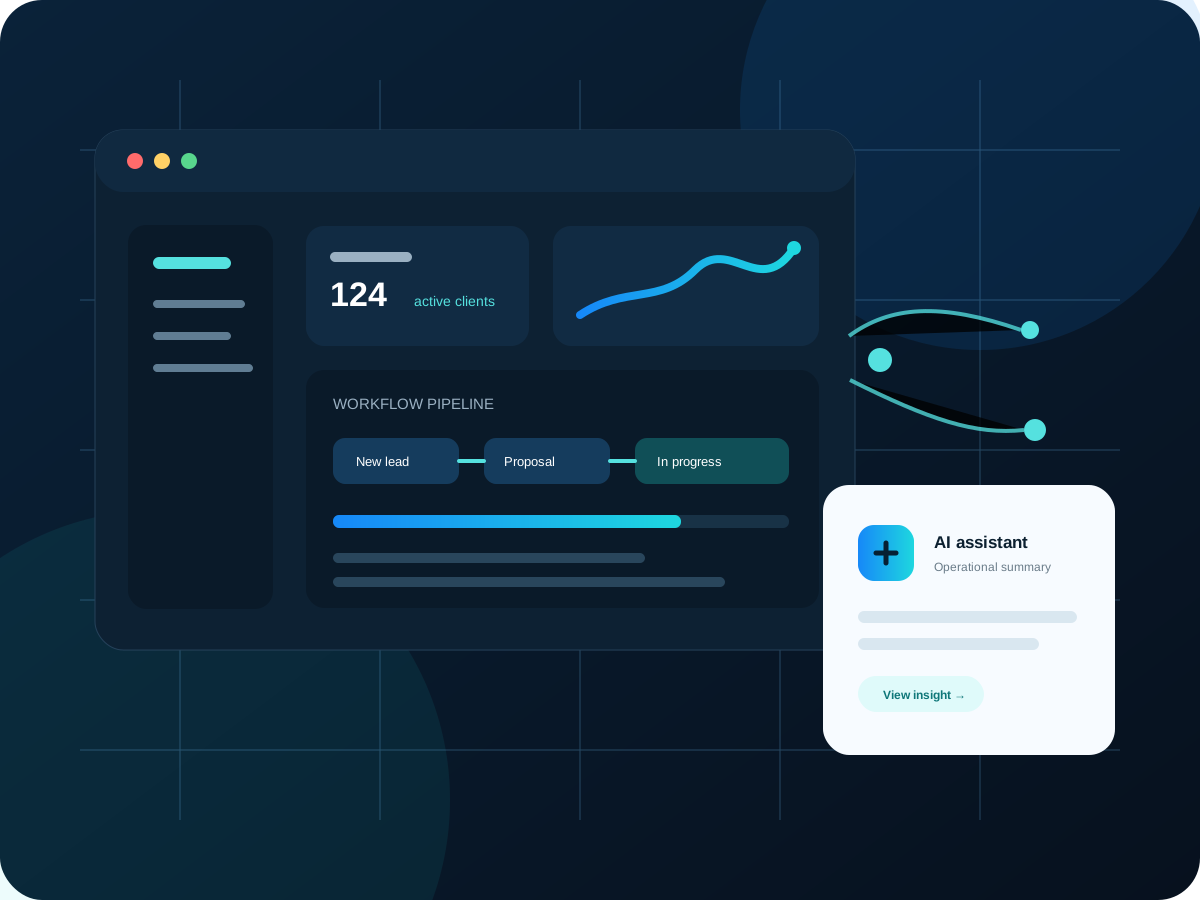
When businesses talk about adopting AI, the conversation can sound much larger than it needs to be. It may seem as if using AI means replacing the CRM, moving to a completely different platform, rebuilding every internal application, or asking employees to change the way they work overnight.
In practice, some of the most useful AI projects are much more focused.
AI can be added as a capability inside the systems you already use. It can summarize information, help employees search business data, prepare drafts, classify incoming requests, explain reports, and assist with repetitive decisions while your existing CRM, ERP, database, help desk, or custom application remains the system of record.
Start with the job, not the AI model
A useful AI project begins with a specific job that currently consumes time or creates friction.
“Add AI to our company” is not a well-defined requirement.
“Give our support team a one-click summary of the last six months of customer tickets before they answer a call” is much better.
So is:
- Summarize long customer conversations
- Draft a response using information already stored in the CRM
- Search internal documentation using natural language
- Categorize incoming requests
- Extract key details from an uploaded document
- Explain unusual changes in a dashboard
- Turn project notes into a status update
- Create a first draft of a quote description or service report
The clearer the task, the easier it is to decide what information the AI needs, what it is allowed to do, and where a person should review the result.
AI can sit on top of existing business data
Your company probably already has valuable context stored in structured systems: customer records, support tickets, projects, products, invoices, notes, documents, and service history.
Instead of moving all of that data into a brand-new application, a custom integration can retrieve only the information needed for a specific AI task.
For example, an employee viewing a customer in the CRM could click “Summarize account.” The application gathers recent tickets, project notes, open invoices, and key account details, sends the relevant context to the AI service, and displays a concise summary inside the same CRM screen.
The CRM remains the source of truth. AI becomes an assistant using the information the CRM already contains.
Use AI for understanding unstructured information
Traditional software is very good at structured data. If a status is “Open,” an invoice total is 1,250, or a due date is September 10, software can filter and calculate those values precisely.
Businesses also have enormous amounts of unstructured information: emails, ticket conversations, call notes, descriptions, documents, and free-text comments.
This is where AI can add a new layer of usefulness.
It can help turn unstructured information into something an employee can work with more quickly. It might identify the key issue in a long support thread, produce a short timeline from project notes, or extract requested products from a customer email before the employee creates a quote.
Practical use case: an AI CRM assistant
An AI assistant inside a CRM does not need permission to change every record in the database.
A safe first version can be read-oriented and advisory.
The employee could ask:
- “Summarize my open projects that are at risk.”
- “What happened with this customer in the last 30 days?”
- “Which quotes are waiting for follow-up?”
- “Create a draft status update for this project.”
- “Explain why this account has so many support hours.”
- “Show the unresolved items mentioned in recent ticket conversations.”
The application can translate the request into controlled queries, gather permitted information, and ask the AI to organize or explain the result.
Because the assistant is inside the CRM, permissions can still be enforced by the application. A user should not receive information through AI that they would not normally be allowed to view.
Practical use case: support and ticket conversations
Support teams frequently need to understand a problem before they can solve it.
If a ticket has dozens of messages, attachments, and internal notes, a new employee joining the conversation may spend several minutes reading history before responding.
AI can prepare a summary that includes:
- The original issue
- Troubleshooting already attempted
- Current status
- Important customer details
- Unanswered questions
- Suggested next steps
The summary is not the final decision. It is a faster starting point for the technician.
AI can also help draft a customer-facing response, but the support employee can review and edit it before anything is sent.
Practical use case: reporting that explains itself
Dashboards tell you what happened. AI can sometimes help with the next question: “What should I look at?”
Suppose a profitability dashboard shows that one project category performed worse this month. A traditional dashboard can display the numbers. An AI-assisted reporting feature can collect related data and produce a plain-language explanation of the biggest contributors.
That might include increased support hours, lower billable utilization, delayed invoices, or a small number of unusually expensive projects.
The calculation should still come from your business data and reporting logic. AI is being used to explain and summarize, not to invent the underlying numbers.
Practical use case: document and information intake
Many business processes begin with documents or free-form messages.
A customer sends a PDF specification, an application form, an email request, or a service description. An employee reads the document and manually enters selected information into the system.
AI-assisted intake can extract candidate values and present them for review. The employee confirms the information before it becomes an official record.
That human review step is especially useful when accuracy matters. The AI saves time without silently turning uncertain information into business data.
Integrations matter more than the chat box
A common mistake is treating AI as a standalone chat window that has no connection to the tools employees actually use.
A generic chat assistant can be useful, but the bigger opportunity is often integration.
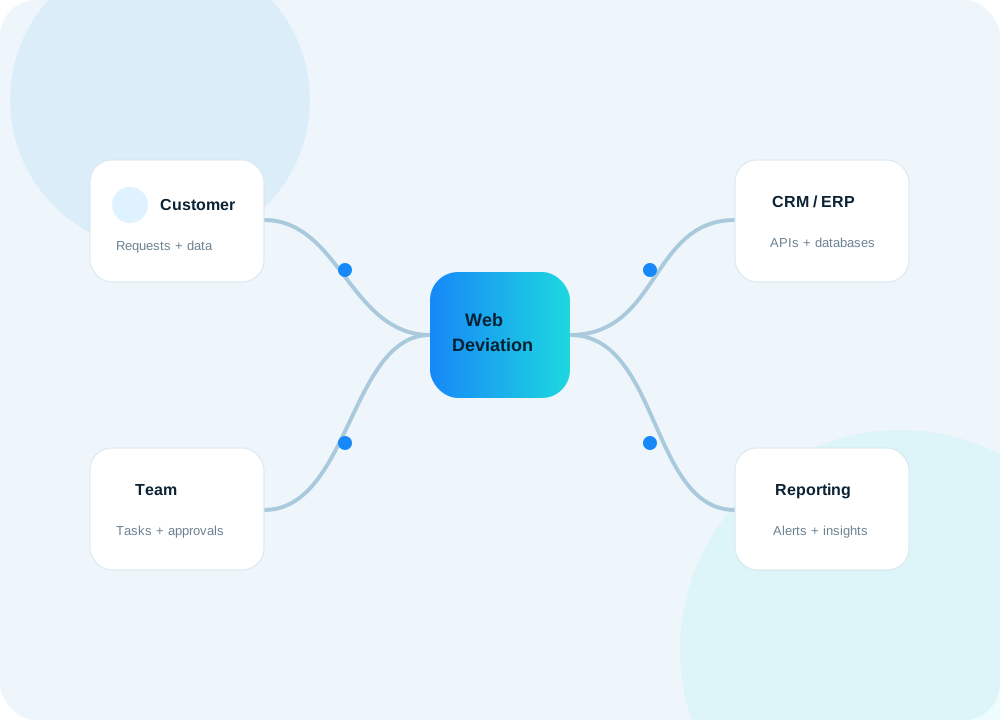
If the AI cannot see permitted customer information, project status, documents, or business rules, employees still need to gather that context manually. When AI is integrated into the application, the software can provide the right context automatically.
That is why APIs, database design, permissions, and workflow logic remain important in an AI project. The model is only one part of the system.
Keep important actions behind business rules
AI output is probabilistic. Core business rules should not become vague just because an AI feature exists.
If a customer discount cannot exceed a certain limit without manager approval, keep that as a deterministic application rule. If an invoice must contain required fields, validate those fields normally. If a user does not have permission to delete a record, AI should not bypass that restriction.
Use AI where interpretation and language are helpful. Use conventional software logic where certainty is required.
This division makes the system easier to understand and safer to operate.
Build an audit trail for meaningful AI actions
If an AI feature becomes part of a business workflow, it should be observable.
Depending on the use case, your application may record that an AI summary was generated, which user requested it, which business record it related to, and whether the output was accepted or edited.
This helps with troubleshooting and accountability. It also makes it easier to evaluate whether the feature is actually saving time.
Protect the information you send
Any AI integration should start by deciding what information is necessary for the task.
Do not send an entire database when the model only needs five fields from one customer record. Do not include sensitive information simply because it is available. Enforce the same authorization rules used elsewhere in the application.
The best architecture retrieves the minimum useful context, performs the specific task, and returns the result to the user who requested it.
Measure whether AI is helping
A successful AI feature should improve something measurable.
It might reduce average ticket review time, shorten the time required to prepare a weekly report, help employees find internal information faster, or reduce repetitive writing.
If a feature produces impressive demos but employees rarely use it after the first week, it probably is not solving an important enough problem.
Start with a workflow employees already perform frequently. Add AI to the most time-consuming part. Then compare the process before and after.
You can start small
A company does not need an “AI transformation” program to begin.
A good first project might be one button inside an existing application: summarize this ticket, explain this dashboard, search these documents, draft this update, or extract these fields.
Once that feature proves useful, the same integration architecture can support additional capabilities.
At WebDeviation, we focus on adding AI where it improves a real business workflow. That may mean building an AI assistant into a custom CRM, connecting Gemini or another AI service to internal data, or adding a focused AI feature to an existing application without replacing the systems your company already depends on.