
When Does Your Business Need a Custom CRM?
Spreadsheets and off-the-shelf CRMs can work well for a while. The real signal to go custom is when your team spends more time working around the software than working in it.
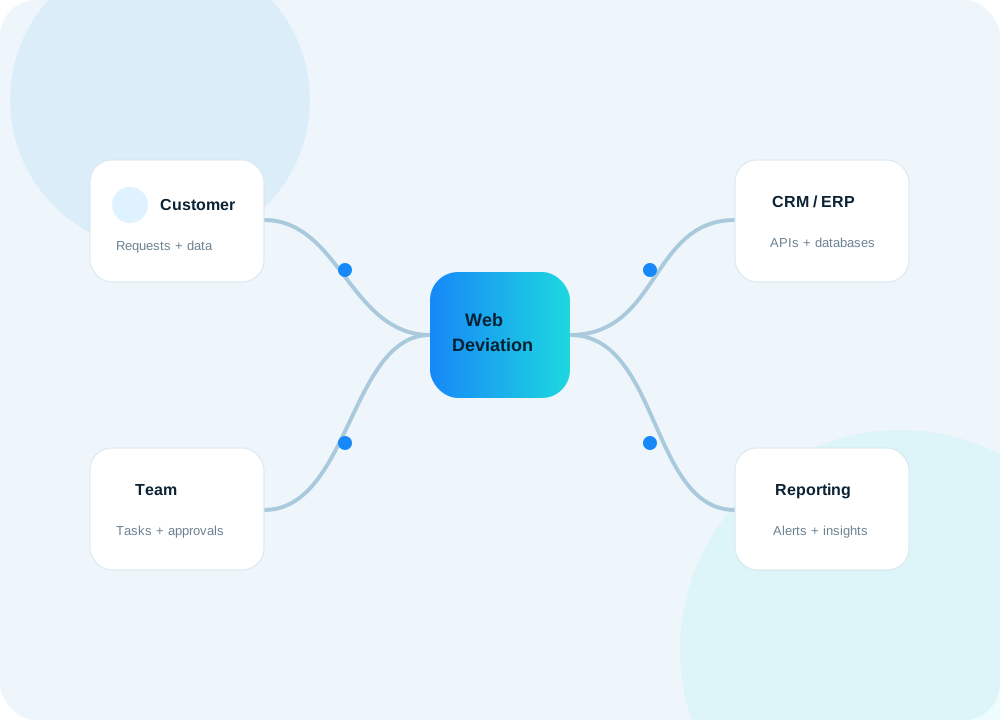
A CRM should make work easier. But as a company grows, it is common for the CRM itself to become another thing the team has to work around. Staff start keeping separate spreadsheets, copying information between systems, sending manual reminders, and building side processes that the CRM does not understand.
That is usually the point where the question changes from “Which CRM should we buy?” to “Would it make more sense to build around the way our business actually works?”
1. Your team is entering the same information more than once
If customer information starts in a website form, gets copied into a spreadsheet, then entered again into accounting, project management, or support software, the problem is not just inconvenience. Duplicate data entry creates delays and introduces mistakes.
A custom CRM can connect those steps so the information moves automatically. One customer record can become the source used by projects, support tickets, quotes, invoices, notifications, and reporting.
2. Your CRM does not match your actual workflow
Most commercial CRM platforms are designed around common sales processes. That works well for many businesses, but not every company is primarily a sales pipeline.
You may need to track equipment, installations, storage records, engineering files, service histories, approvals, contracts, recurring work, custom pricing, or operational statuses that do not fit naturally into a standard CRM.
When your staff has to translate the real workflow into generic fields and stages, custom software can remove that translation layer.
3. You depend on spreadsheets outside the CRM
Spreadsheets are extremely useful, but they often become unofficial extensions of business systems. If important client, project, service, inventory, or financial information only exists in spreadsheets maintained by individual employees, visibility becomes difficult.
A custom CRM can move those processes into structured workflows with permissions, audit history, dashboards, validation, and centralized reporting.
4. Your systems do not communicate
A business might use a website, accounting system, ERP, email platform, support tool, cloud storage, and CRM. The individual tools may all be good, while the overall workflow is still inefficient because they operate separately.
A custom CRM does not necessarily replace everything. Often, the better solution is to become the operational layer that connects them through APIs, scheduled synchronization, database integrations, and automated notifications.
5. You need information that your current reports cannot show
Growing companies eventually ask more detailed questions: Which projects are profitable? Which customers require the most support time? What work is overdue? Which quotes are still open? Which systems need attention?
When reporting requires exporting multiple files and manually combining them, your data is telling you that the systems are disconnected. A tailored CRM can capture the right information from the beginning and turn it into useful dashboards.
6. Permissions and accountability are becoming important
As more people use a system, not everyone should see or change everything. Managers may need different visibility from regular users. Clients may need a portal. Administrators may need audit logs and archived records.
Custom permissions let the application reflect the way responsibility actually works inside the company rather than relying on a few broad roles.
Custom does not mean rebuilding everything
A custom CRM can start with the parts that create the most value. It can integrate with services you already trust, such as email providers, accounting platforms, cloud storage, Google Workspace, Microsoft 365, payment systems, or existing databases.
The goal is not to create software simply because it can be created. The goal is to remove repeated work, connect important information, and give the team a system that makes the business easier to operate.
A useful test
Ask your team these questions:
- What information do we enter more than once?
- Which spreadsheets have become critical to daily operations?
- Where do we manually copy data between systems?
- Which steps are easy to forget or difficult to track?
- What information do managers wish they could see immediately?
- Which parts of our current software do employees routinely work around?
If several answers point to the same disconnected process, a custom CRM may be worth evaluating.
At WebDeviation, we build CRM systems and business applications around the way a company already operates, then connect them to the systems the business still needs. If you have a workflow in mind, we can start by mapping the process and identifying where custom software would provide the most value.